

logo
문자 보내
LINK-PP INT'L TECHNOLOGY CO., LIMITED
상품
제품 상세정보
> 상품 > 광 트랜시버 > Extreme 10302 10GBASE-LR SFP+ Transceiver Module 10km Long Range

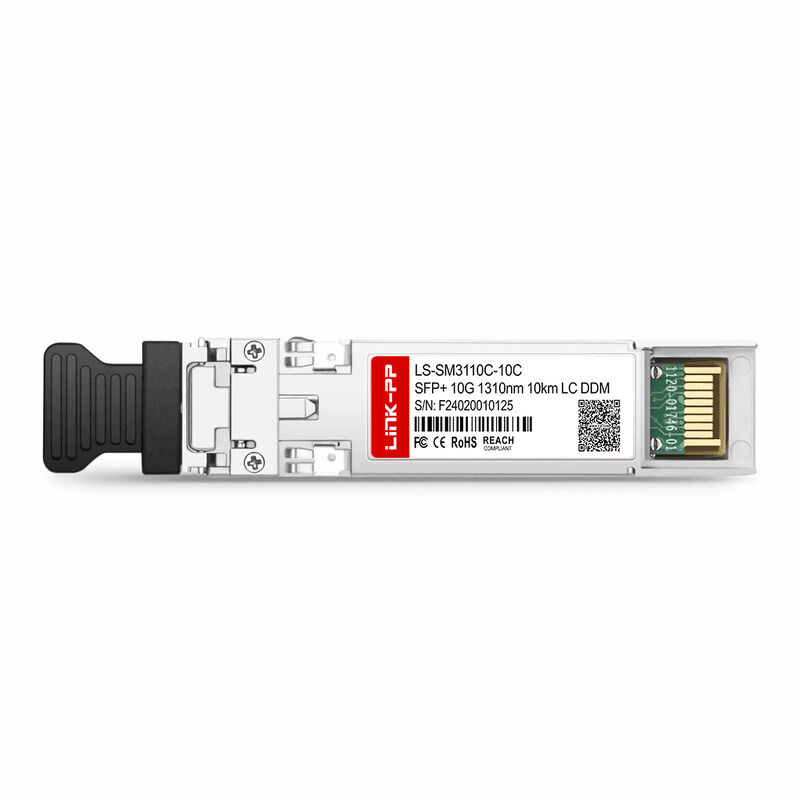
Extreme 10302 10GBASE-LR SFP+ Transceiver Module 10km Long Range

제품 상세정보

원래 장소: 중국 광둥

브랜드 이름: LINK-PP

인증: UL,RoHS,REACH,ISO

모델 번호: 익스트림 10302

지불과 운송 용어

최소 주문 수량: 1개, 10개

가격: $3.1-$5

포장 세부 사항: 릴

배달 시간: 2-3 일

지불 조건: L/C, D/A, D/P, T/T, 서부 동맹

공급 능력: 5kk/월

최상의 가격을 얻으세요
강조하다:

Extreme 10302

,

LR SFP+ Module

,

10302 Extreme Networks

부품 번호:
익스트림 10302
시리즈:
LR SFP+ 모듈
거리:
10킬로미터
데이터 속도:
SFP+ 10G
커넥터:
이중 LC
메디아:
단일 모드 빛 섬유
부품 번호:
익스트림 10302
시리즈:
LR SFP+ 모듈
거리:
10킬로미터
데이터 속도:
SFP+ 10G
커넥터:
이중 LC
메디아:
단일 모드 빛 섬유
Extreme 10302 10GBASE-LR SFP+ Transceiver Module 10km Long Range
Overview

The Extreme Networks 10302 LR SFP+ Module provides a 10 Gb optical connection for long-range communication. Designed for single-mode fiber, it utilizes LC connectors and offers a maximum transmission distance of up to 10 kilometers. This module is fully compliant with the 10GBASE-LR standard, ensuring reliable performance over extended distances in high-speed networks.

This LR SFP+ module is ideal for networks that require high-speed connections over long distances, such as data centers, enterprise networks, and high-performance computing environments.

Key Features
  • Part Numbers: 10302, AA1403011-E6
  • Connection Type: LC Connector
  • Fiber Type: Single-mode fiber
  • Maximum Distance: 10 kilometers
  • Data Rate: 10 Gbps
  • Standard Compliance: 10GBASE-LR (Long-Range)
  • Hot-swappable: Supports hot-pluggable functionality for easy integration into active network equipment
Technical Specifications
Parameter Minimum Typical Maximum
Transmitter
Average Launch Power -8.2 dBm NA 0.5 dBm
Center Wavelength 1260 nm 1310 nm 1355 nm
Receiver
Average Receive Power (Max) -14.4 dBm NA -1 dBm
Center Wavelength 1260 nm 1310 nm 1355 nm
Maximum Receiver Sensitivity in OMA NA NA -12.6 dBm
Operating Distance NA NA 10 km
Installation Guide

Installing an SFP module is a simple but essential process for establishing an optical connection in your network. The SFP+ module is hot-swappable, meaning that in most cases, you do not need to power down the network device. However, for safety, some operators prefer to power off the device during installation.

Installation Steps
  1. Align the Module: Locate the SFP port on the network device. Ensure that the bail latch (the small lock or lever) on the SFP module is oriented correctly. This latch typically faces up or down, depending on the specific device design.
  2. Insert the Module: Gently push the SFP+ module into the SFP port until you hear a click sound or feel that the module is securely locked into place. This ensures the module is properly seated.
  3. Verify Seating: After inserting the module, make sure the gold connectors of the SFP+ module are fully inserted into the port, and the module is firmly fixed in place with no wobbling or loose connections.

By following these simple steps, you can ensure that the SFP+ module is installed correctly and ready for use in your network.